International business payments
from your Amaiz account
Pay suppliers, contractors and partners abroad from one dashboard. Use SEPA, SWIFT, Local payment methods and Card payouts payment routes. Review fees and final amount before sending.
Send money internationally for the work your business already does
Supplier invoices and contractor payments all from one workspace.
Pay suppliers and contractors abroad
Pay suppliers and contractors using Local payment methods or SWIFT, for wider reach or higher volumes.
Pay European partners in EUR
Pay invoices and partners across Europe from your EUR account, with SEPA or SEPA Instant.
Pay recipients without full bank details
Push payouts directly to a recipient's Visa or Mastercard card when you don't have their bank details.
Choose the right route for each business payment
Different payments need different rails depending on account, currency and destination.
SEPA — For EUR payments in Europe
IBAN details to SEPA-eligible recipients. SEPA Instant is used automatically where available.
SWIFT — For international payments
For non-SEPA corridors where available, reaching 119+ countries.
Local payment methods — From your EUR account
Send in local currency through domestic rails across 96+ countries.
Card payouts — To Visa and Mastercard
Push payouts directly to a recipient's card in supported currencies. No bank details needed.
Internal transfers — To other Amaiz users
Send instantly to a supplier or partner who also holds an Amaiz account, or move funds between your own linked currency accounts.
FPS — For UK GBP payments
Part of your multi-currency account, so you can pay UK suppliers too — Sort Code and Account Number, in seconds, 24/7.
Send an international business payment in a few steps
Select the account to pay from, then click Transfer to open the Transfer funds window.
Choose a transfer type available for this currency account.
Enter bank details required for the route, for example, IBAN or SWIFT BIC.
See what the recipient gets, the fee, and the total you'll pay, before confirming.
Check fee and recipient details before confirming.
Monitor payment status from your dashboard.
These steps are a general guide — the exact fields and screens can vary slightly depending on the transfer type you choose.
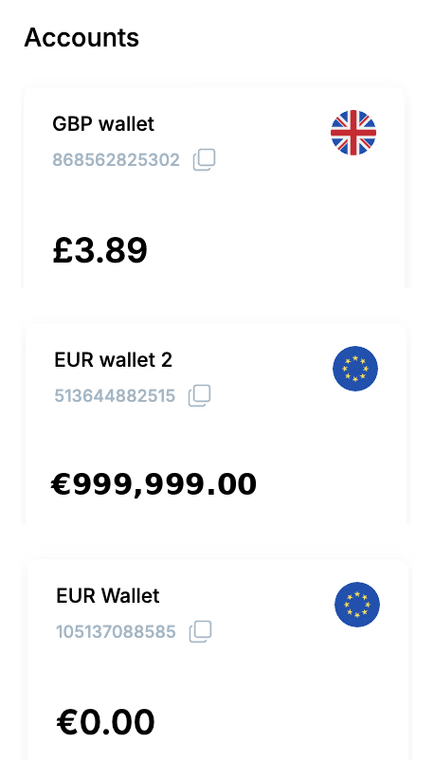
Manage global payment operations from one workspace
Repeat transfers, reports and support keep payment operations organised.
Repeat transfers
Go back to any previous transfer and press Repeat transfer to send it again quickly.
Custom reports
Filter transactions by date, currency or recipient. Export to Excel for reconciliation.
Live customer support
Payment specialists available during business hours for account and compliance queries.
Personal manager for VIP customers
Dedicated relationship manager for Enterprise and high-volume accounts.
Built for secure business payments
Security checks, transaction monitoring and compliance processes protect account activity.
Two-factor authentication
Login and payment confirmation require a second verification step.
Transaction monitoring and fraud detection
Outbound payments are screened against fraud patterns in real time.
KYC and AML compliance
Continuous screening against sanctions lists and AML rules under FCA regulations.
Safeguarded funds
Customer funds held in segregated accounts.
Payment review checklist
Try the payment flow before opening an account
Explore transfers, accounts, cards and transaction activity inside the dashboard.