SWIFT business payments
from your Amaiz account
Send and receive international payments through SWIFT, straight from any of your Amaiz currency accounts. Pay suppliers, contractors and partners abroad, or get paid by a client overseas.

What is a SWIFT business payment?
It's an international transfer from your account to a bank account abroad, sent over the SWIFT network. Depending on the route, intermediary banks may relay the payment.
How a SWIFT payment travels
When should your business use SWIFT?
Use SWIFT when no local route fits the payment, or when a local route isn't the more convenient option.
SEPA
Choose it for EUR payments inside the SEPA area with the recipient's IBAN. Sent from your EUR account.
SWIFT
Choose it for international payments in any supported currency, or when no local route fits. Sent from any currency account.
Local payment methods
Choose it for supported destinations with a quicker or cheaper local rail. Sent from your EUR account.
Card payouts
Choose it to pay out to a Visa or Mastercard debit card. Sent from your GBP or EUR account.
What details do you need for a SWIFT business payment?
Good recipient data reduces the risk of payment delays, investigations or returned transfers.
Recipient details
Understand SWIFT fees before you send
SWIFT payments can involve several cost layers: transfer fee and possible intermediary or recipient bank fees.
Amaiz shows its transfer fee and final amount preview before confirmation. Third-party fees may still apply depending on route, currency, recipient bank and payment instructions.
Before confirming, review:
SWIFT payment pricing
SWIFT payment fees for plans: UK / EEA / Swiss entities with UK / EEA / Swiss UBOs or international UBOs.
| Incoming | |
| SWIFT transfer | £39.99 |
|---|---|
| OutgoingFee per transaction, based on the amount of that individual payment — not your cumulative volume. | |
| £0 – £24,999.99 | £50 |
| £25,000 – £99,999.99 | £75 |
| £100,000+ | £100 |
Standard tariffs shown, effective 7 September 2026. Fees may vary depending on your business profile, currency and risk category and will be confirmed during onboarding.
Send a SWIFT business payment in a few steps
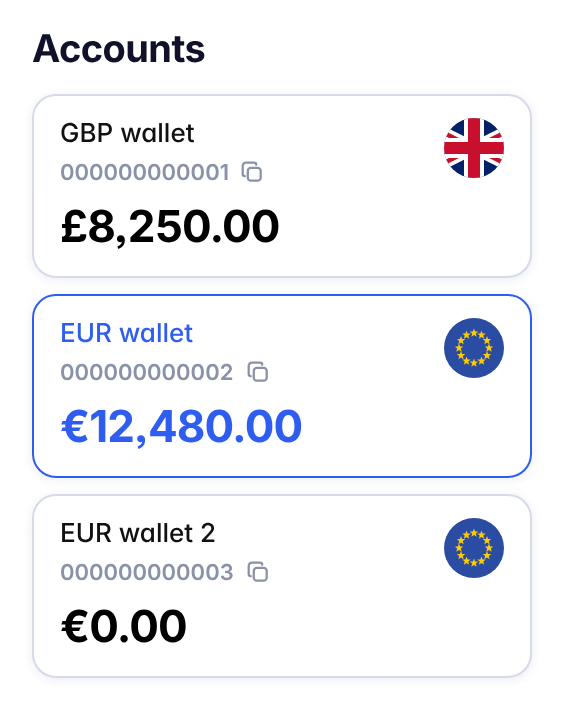
Select the account you want to pay from, then press Transfer.
Choose SWIFT Transfer from the list.
Enter recipient type, name, IBAN or account number, SWIFT/BIC and bank details.
Choose how much to send, the currency the recipient should receive, and add a payment reference or purpose where requested.
Check the payment details, and attach any supporting documents requested, before confirming.
Confirm the payment and monitor activity from your account.
Illustrative screens with sample data — fields may vary by country and account type.
Use SWIFT for international business payments beyond local routes
When a payment cannot use FPS, SEPA or a local payment rail, SWIFT can support selected international supplier, contractor and partner payments.
Pay overseas suppliers
Send payments for suppliers, imports, services and trade relationships.
Pay international contractors
Pay agencies, freelancers and service providers outside local routes.
Support global partner payments
Manage payments to partners in supported destinations.
Send supported currencies
Use available currencies depending on recipient country, route and account.
Combine with local payment methods
Use SWIFT alongside FPS, SEPA and other local routes to cover destinations without a local option.
Track payment activity
Use reports and statements to reconcile payments and keep your records up to date.
Keep SWIFT payments organised
International payments need records, reports and support as well.
Repeat transfers
Find a past payment and use Repeat transfer to send it again.
Custom reports
Filter by date, currency or recipient and export the results for reconciliation.
Statements and records
Download statements and payment records for any of your currency accounts.
Customer support
Our support team can help with account and compliance questions.
Built for secure business payments
Security checks, transaction monitoring and compliance processes protect account activity.
Two-factor authentication
Login and payment confirmation require a second verification step.
Transaction monitoring and fraud detection
Outbound payments are screened against fraud patterns in real time.
KYC and AML compliance
Continuous screening against sanctions lists and AML rules under FCA regulations.
Safeguarded funds
Customer funds held in segregated accounts.